Manga Reader - Multi-Role Manga Catalog & Reading Platform
A bilingual manga reading site with a tag-filtered catalog, a translator upload pipeline and a full admin panel with chapter moderation.
Problem
A manga site is three products in one - a public catalog for readers, an upload tool for translators and a moderation console for admins - and most builds either skip the moderation loop or let unchecked chapters and comments go straight to production.
Result
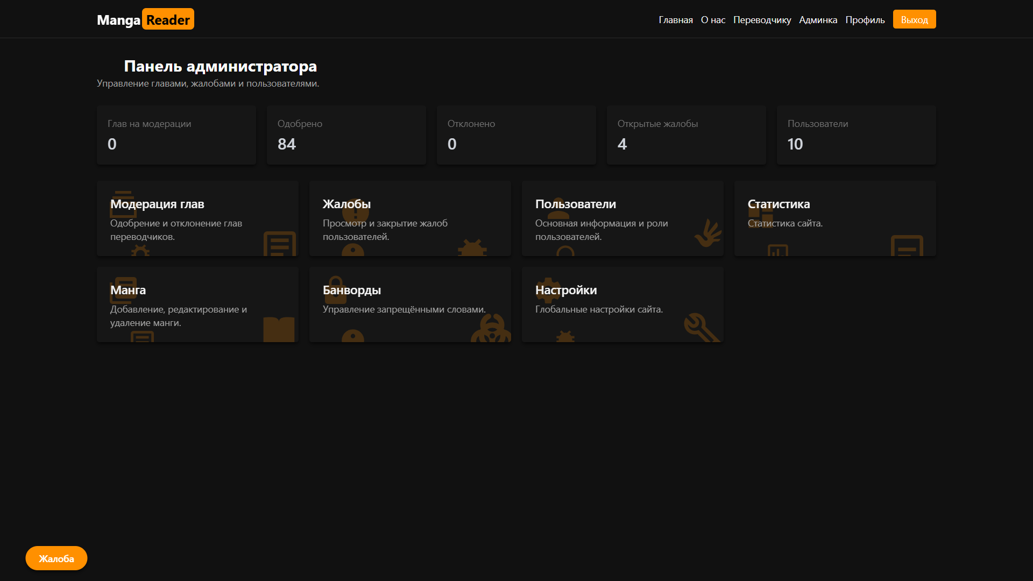
A single platform with three role-based interfaces: an AJAX catalog with full-text search, tag filters and favorites; a translator dashboard that ingests chapters as ZIP archives into a pending queue; and an admin panel covering moderation, roles, bans, reports, banned words, tags and static pages.
Tech Stack

Overview
Manga Reader is a full manga reading platform built to a formal specification: a public catalog anyone can browse, a personal account for registered readers, a dedicated workspace for translators who upload new chapters, and an administration panel that controls every section of the site. The three interfaces share one codebase and one PostgreSQL database, but each is gated by role - a visitor never sees the moderation queue, and a translator never sees user management.
Problem
A manga site looks like a catalog and behaves like a workflow. Readers want search, tag filters, favorites and comments. Translators want to push new chapters without waiting on a developer. Admins need everything that follows: nothing a translator uploads should appear publicly until it has been reviewed, comments need moderation and a profanity filter, users need roles and bans, and the static pages need to be editable without touching code. Most implementations solve the reading part and leave the operational half - moderation, roles, reports - as an afterthought, which is exactly where the site breaks once real users arrive.
Solution
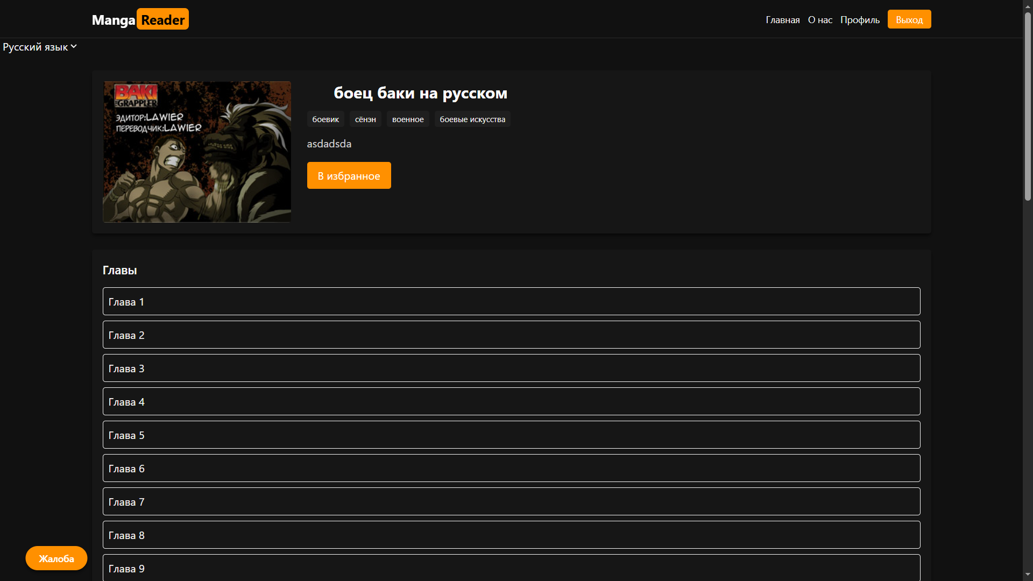
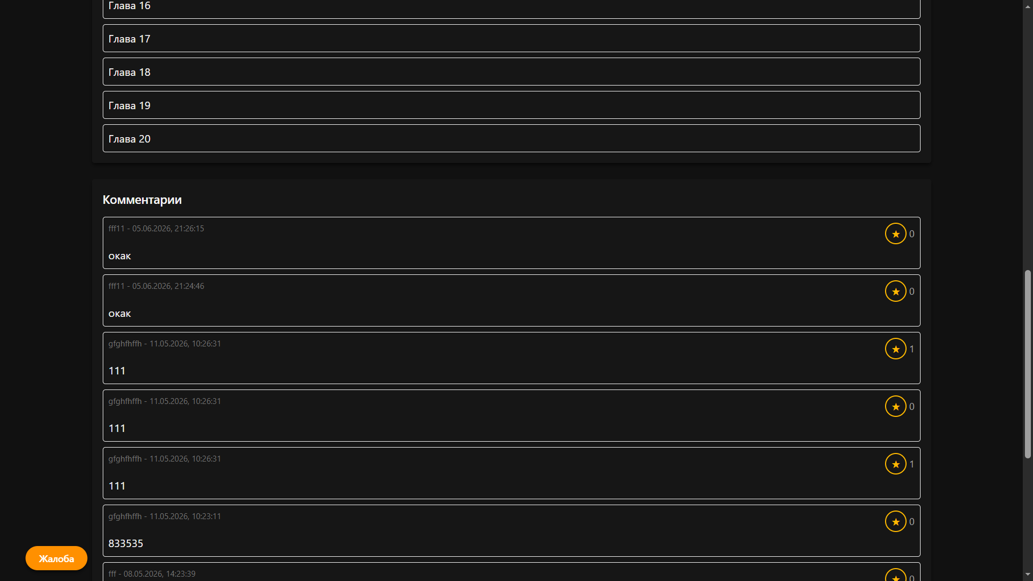
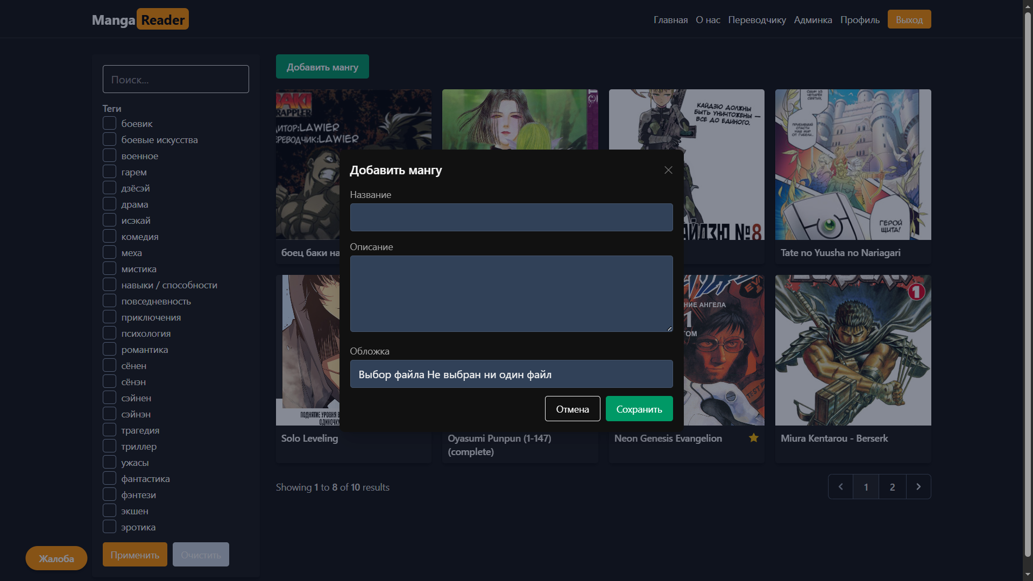
The catalog is the entry point: a full-text search across title names and descriptions, a multi-select tag filter, and pagination - all of it driven by AJAX, so changing a filter re-renders the grid without a page reload. On desktop the filter block stays expanded; on mobile it collapses behind a button so it doesn’t eat the screen. A title page carries the cover, tags, description, the chapter list sorted by number, a favorites toggle that flips state in place, and a paginated comment thread. Reading is a dedicated page where pages scale to the viewport and chapter-to-chapter navigation is generated from the current chapter number and whichever neighbours exist.
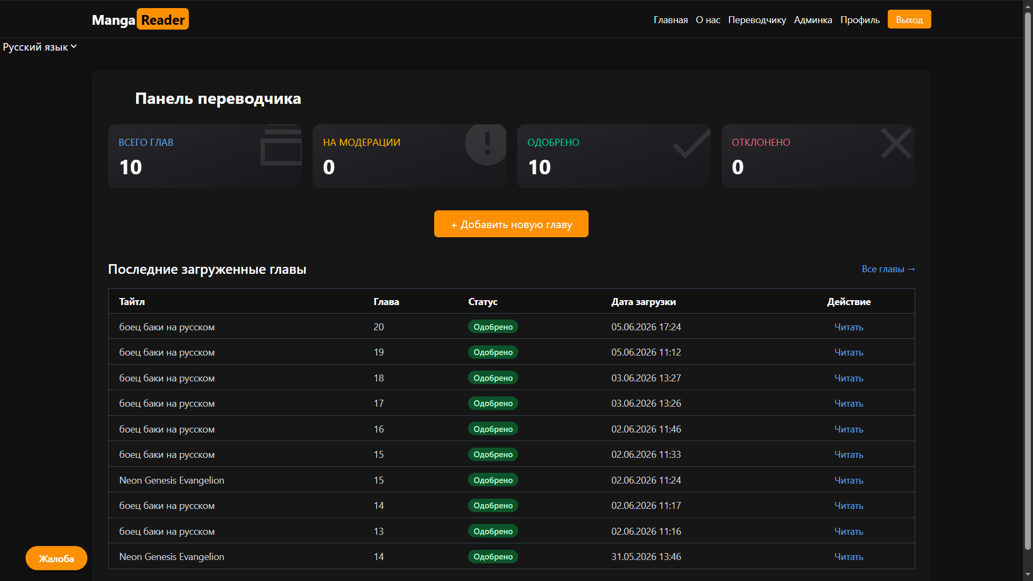
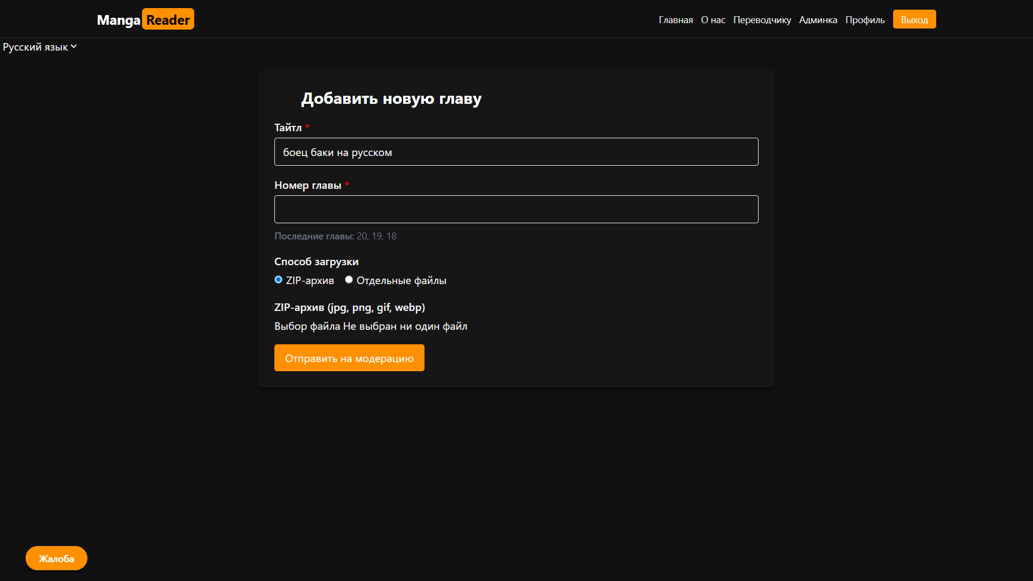
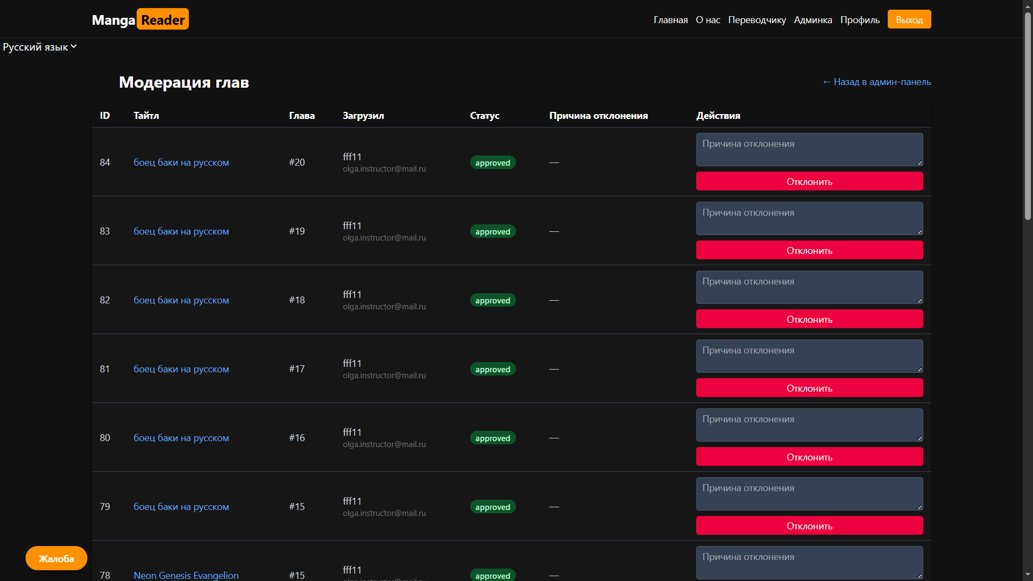
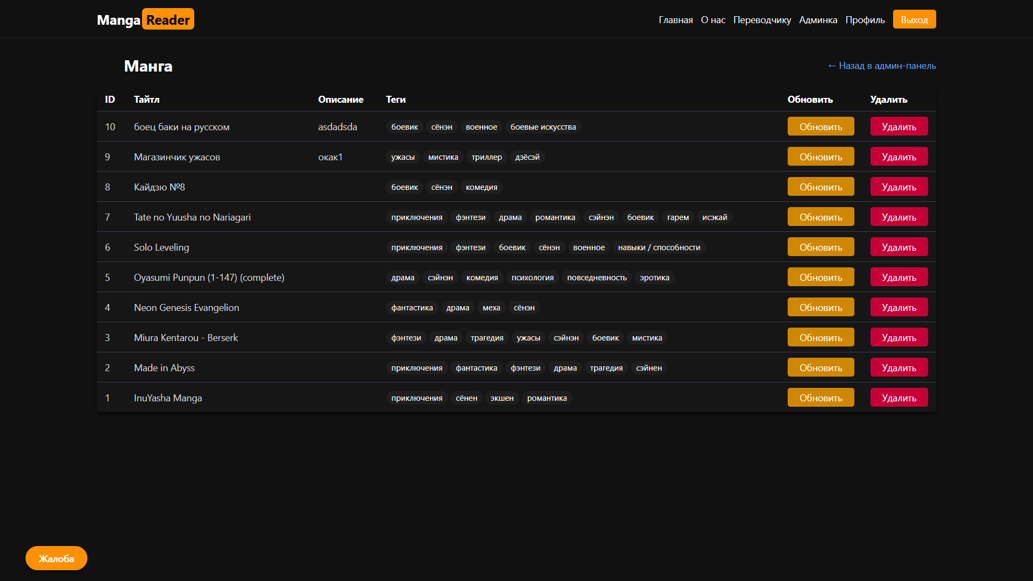
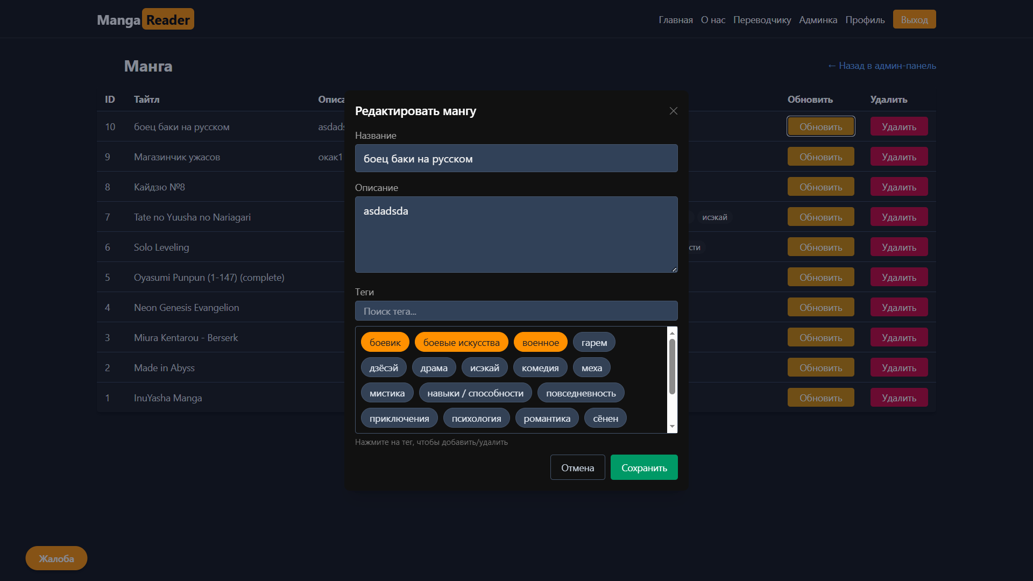
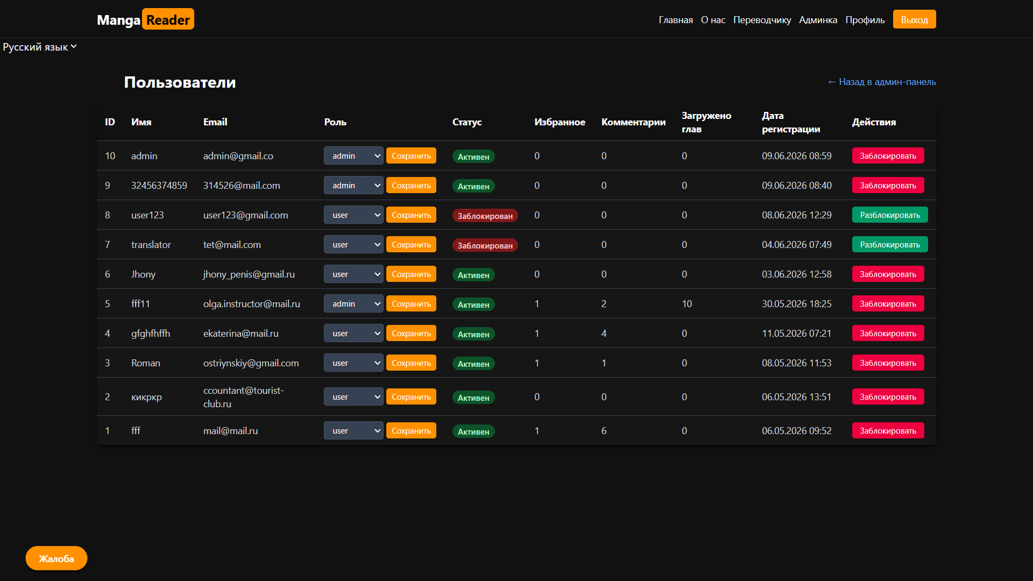
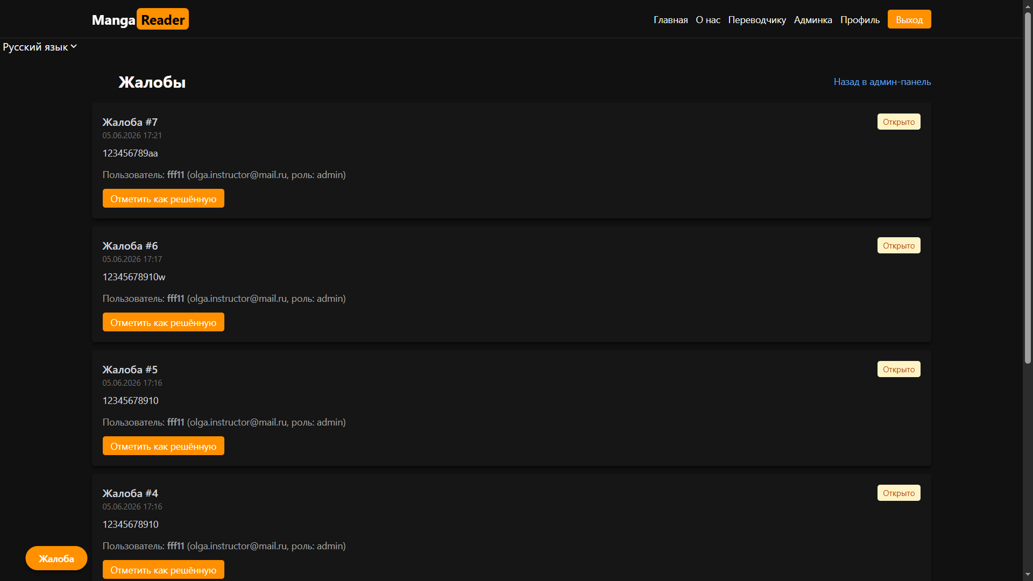
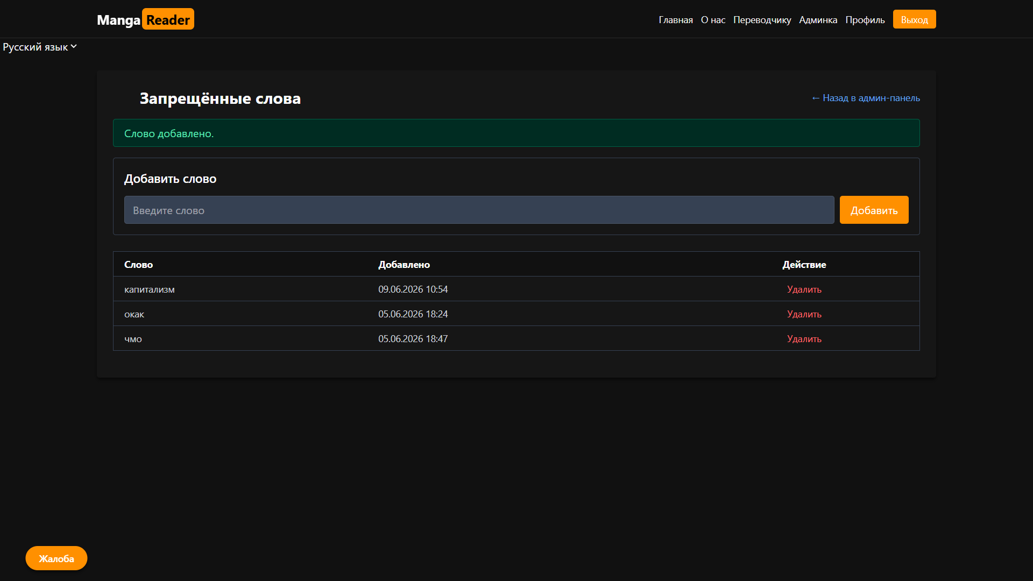
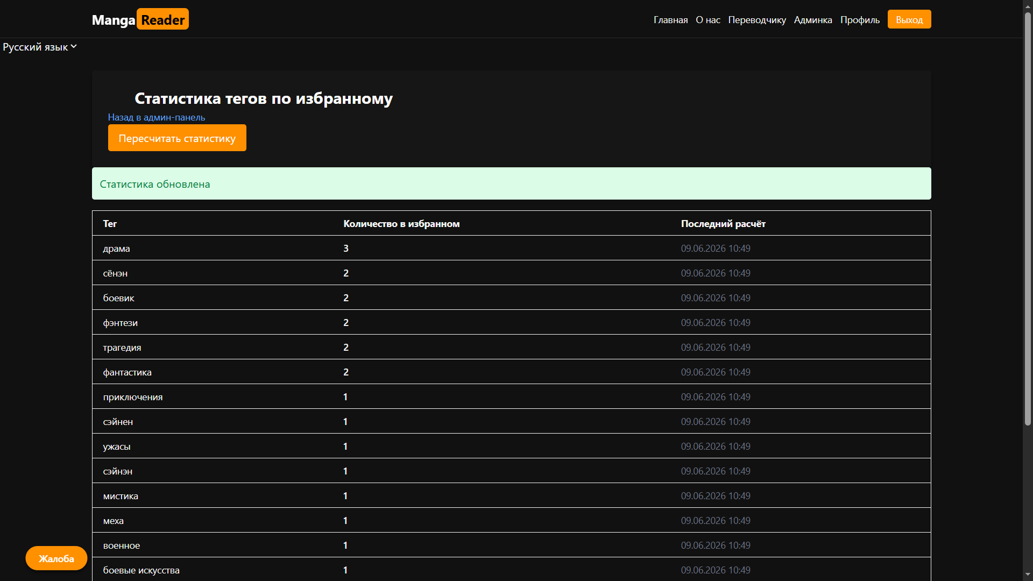
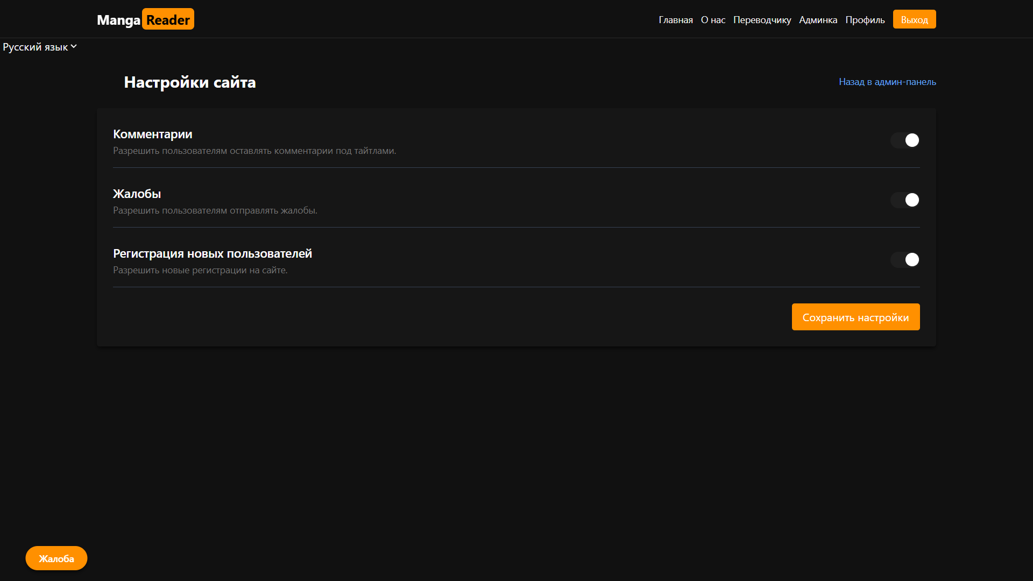
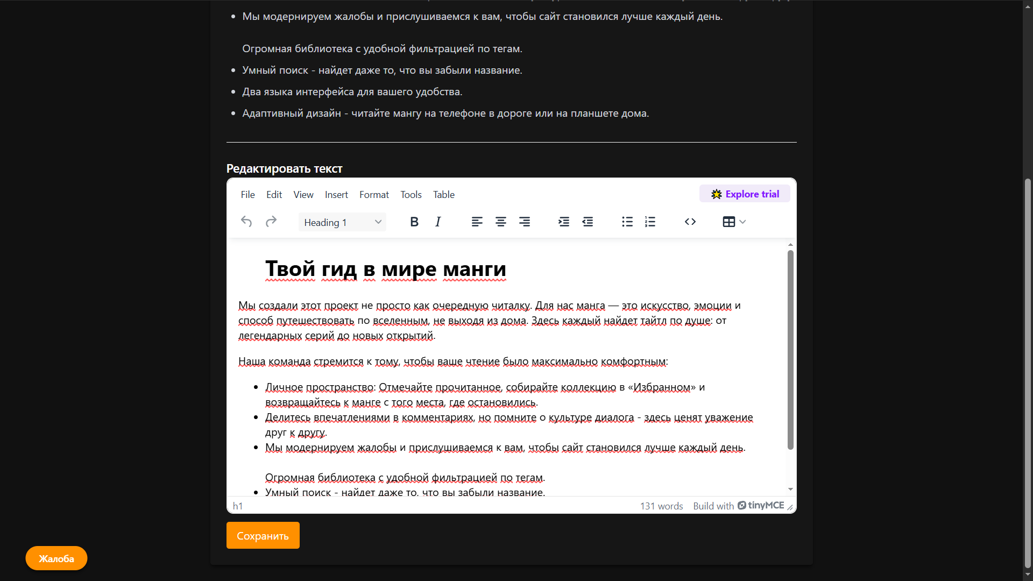
Translators get their own dashboard with pending, approved and rejected counters, and an upload form where a chapter arrives as a ZIP archive that the server unpacks into the title’s image directory. The form warns on duplicate chapter numbers - including numbers already sitting in the moderation queue - and every submission is saved with pending status. Admins work the other end of the same pipeline: approve to publish, or reject with a written reason that the translator sees on their own “My chapters” page. Around that sit user roles (user / translator / admin), blocking, comment moderation with a banned_words table and rate limiting, a report queue, tag management with favorites-per-tag statistics, global toggles for comments, reports and registration, and a WYSIWYG editor for the static pages.
Features
- Catalog with AJAX full-text search, multi-select tag filters and pagination - no page reloads
- Title pages with chapter lists, paginated comments and an instant favorites toggle
- Adaptive reader: pages scale to screen width, next/previous chapter links built from neighbouring chapters
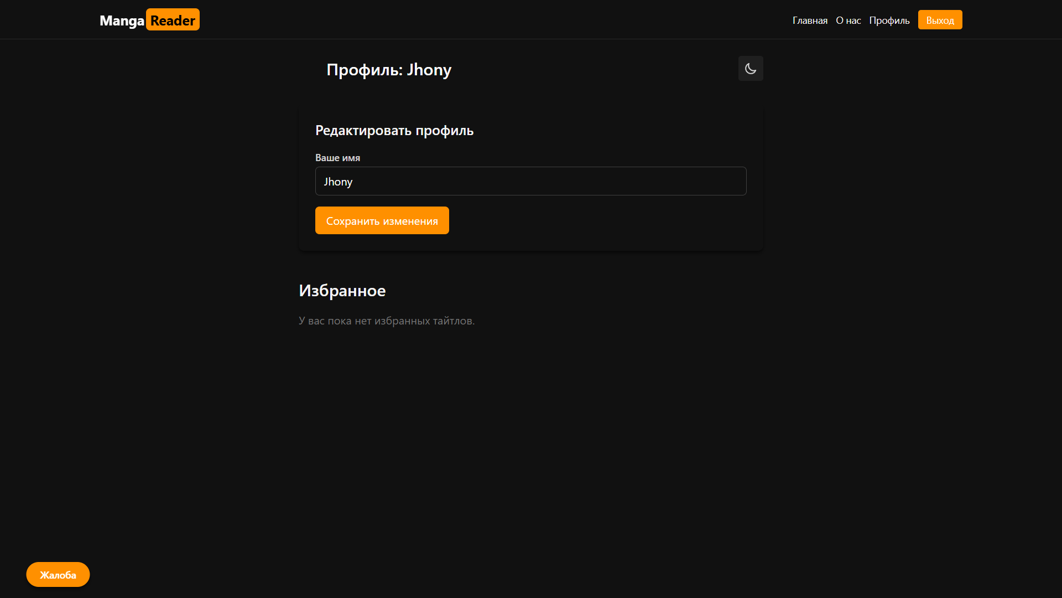
- Registration, login and a profile where users change their display name, theme and interface language
- Translator dashboard: submission stats, ZIP-archive chapter upload with duplicate-number detection, “My chapters” with statuses and rejection reasons
- Admin moderation queue: full chapter preview, approve or reject with a stored reason returned to the translator
- Role management (
user/translator/admin), blocking and deletion, with blocked users cut off from login, comments and uploads - Comment moderation, a
banned_wordsfilter and anti-flood rate limiting on submissions - Report queue, tag management with favorites-by-tag statistics, and global site toggles
- Static pages edited through a TinyMCE WYSIWYG editor, no deploy required
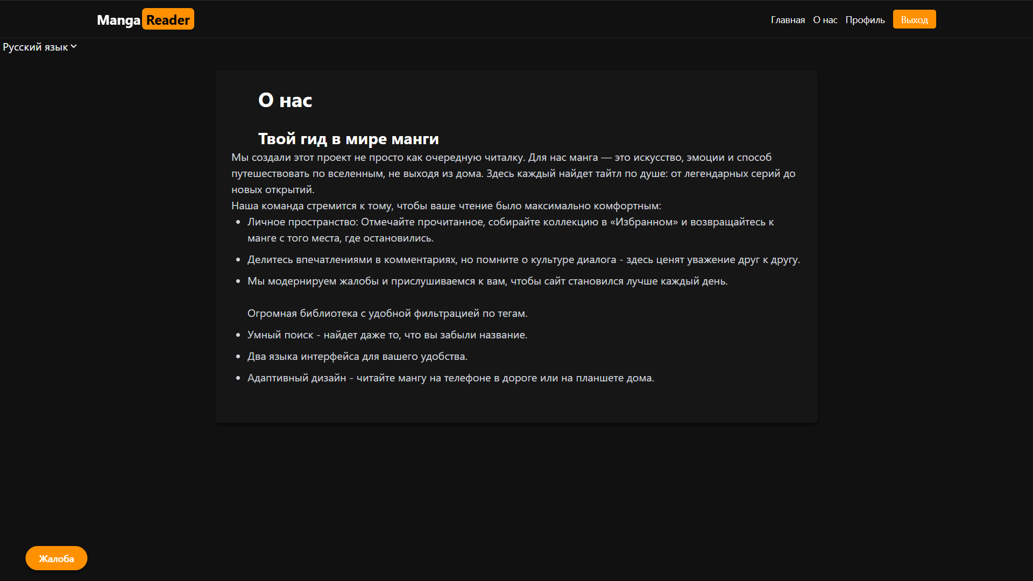
- Full EN/RU interface with all labels, errors and buttons in language files, and separate DB columns for multilingual content
Development Process
The spine of the build is the chapter lifecycle: pending → approved | rejected. Everything else hangs off it - the translator dashboard counters, the admin queue, the public chapter list, and the rejection reason that travels back to the uploader. Getting that state machine right first meant the rest of the panel could be assembled section by section without reworking the data model.
The upload path needed the most care. Accepting a ZIP and unpacking it server-side is convenient for translators but hostile input for a server, so uploads are constrained to image types (jpg, png, gif, webp), written into a per-title directory, and checked against existing chapter numbers - including pending ones, since two translators can otherwise claim the same chapter. The admin panel was deliberately kept plain: neutral colours, sortable and searchable tables, pagination everywhere and breadcrumbs, because it is a working tool rather than a showcase.
Results
- One platform serving three distinct roles from a single codebase and database
- A closed moderation loop - nothing reaches readers unreviewed, and every rejection carries a reason back to the translator
- Bulk chapter ingestion via ZIP instead of file-by-file uploads
- An admin panel that covers the whole site: titles, chapters, tags, users, comments, reports, settings and static pages
- A bilingual interface driven by language files, so a third language is a data change rather than a rewrite
What Was Learned
The reading experience is the smallest part of a content site. What determines whether it survives contact with real users is the operational layer behind it: who can publish, what gets checked before it goes live, what happens to a bad comment, and how an admin fixes a page without a developer. Designing the moderation state machine before writing a single screen kept those questions out of the UI - every interface simply became a different view onto the same lifecycle.
Services used in this project
Related case studies
- Duglas Finance OS - a Personal Capital Management SystemAll the money in one place: cash, banks, 17 crypto exchanges and cold wallets in one base currency, goals with a savings pace, a journal of yield positions and hints on where idle capital could work.
- Novoe Vremya - Medical & Education Corporate SiteA single corporate site that forks into a medical center and a training center, built to pass Russian licensing checks.